Beyond flights: airplane mode hides interesting facts that will surprise you
In fact, there are those who use airplane mode to save battery or avoid distractions.
Advertisements
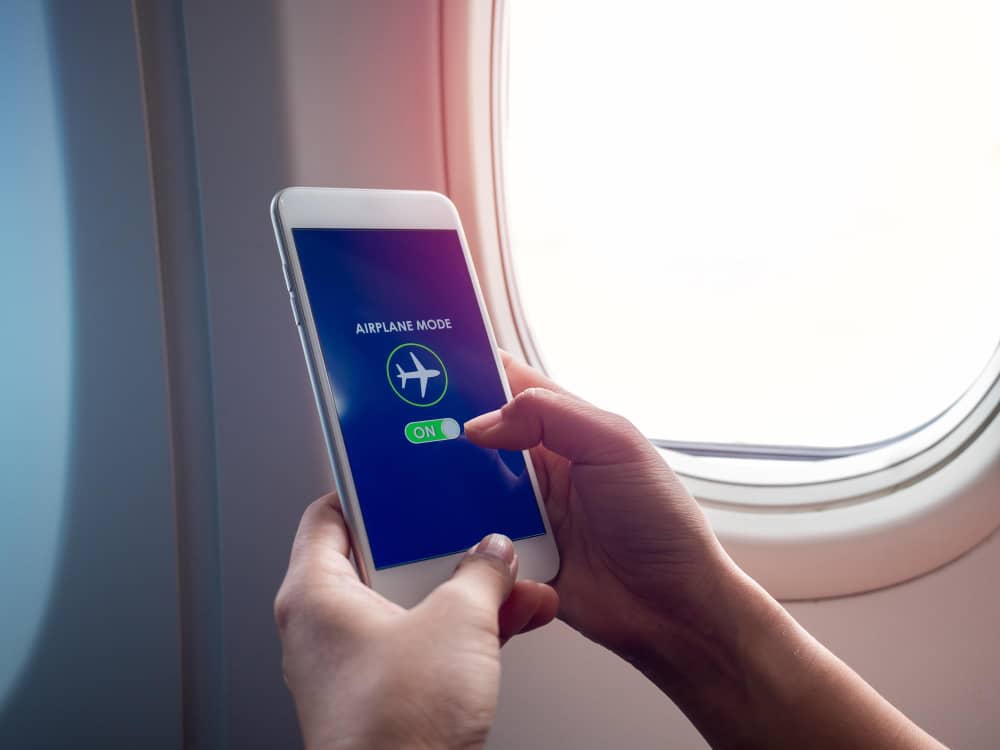
Everyone has activated airplane mode at least once, but few people know what actually happens when it is on. Despite the name, this function goes far beyond airplane travel and directly interferes with several cell phone connections.
But does it really turn everything off? Airplane mode does cut signals, but it has some loopholes and curious uses that few people imagine. Therefore, understanding how it works in practice can change the way you use your cell phone on a daily basis and even improve your routine.
1. The use goes beyond flying
The name 'airplane mode' gives the impression that it is only for use during flights, but that is only part of the story. After all, the function was actually created to prevent cell phone signals from interfering with the aircraft's navigation systems.
However, over time, its usefulness has grown considerably, especially with new operating system updates. Today, airplane mode has become a practical feature for everyday situations, such as when your cell phone starts searching for a signal in areas without coverage.
At these times, the battery is used up, the device heats up and performance drops. So, when you activate airplane mode, all of this stops and the phone stabilizes quickly. This makes things much easier in remote locations or when the signal simply isn't working.
2. He doesn't turn off the phone completely
Many people still think that airplane mode turns off everything on their phone, but that's not how it works. When you activate this function, it only cuts off wireless connections: mobile network, Wi-Fi, Bluetooth and data. Even so, you can manually turn it back on and the mode will remain active.
In other words, you can use wireless headphones, pair them with other devices, or access Wi-Fi networks normally, without having to receive calls or notifications. This is especially useful when you want to stay connected to the internet, but without interruptions from the chip.
3. Helps charge the battery faster
Airplane mode also helps when your battery is running low and you need it to charge faster. By cutting off the signal search and disconnecting everything that requires power, your phone stops wasting resources on backgroundThis reduces consumption and speeds up charging.
It even works best when your device is already low on battery and you need to save time. In simple tests, you can see that charging time is reduced by a few minutes, depending on the model. It's not magic, but it helps.
Even with Wi-Fi turned off, you can keep your phone charging more efficiently. If you're not expecting a message or call, it's worth activating the mode before plugging your phone in.
4. May improve focus and sleep
Some people use it as a simple trick to shut out the world for a while. When you activate this function, the cell phone stops receiving notifications, calls and any alerts that may interrupt your moment of rest. This helps the brain to relax.
At night, this makes a big difference in the quality of your sleep. In addition to avoiding interruptions, airplane mode also prevents your cell phone from emitting network signals near your head, which many people prefer to avoid.
When it comes to focus, the effect is the same. That is, when you study or work with airplane mode on, your brain stays focused for longer, without the temptation to look at every vibration or warning.
5. It works as a trick against spam and advertisements.
You can also get rid of annoying ads in certain games and apps. When your phone is disconnected from the internet, these apps can't load ads, especially those that appear between one phase and another. This makes the experience faster and more seamless.
This trick definitely works best for games that don't require you to be connected all the time, like puzzles, sudoku, and other simple apps. This way, you can turn on airplane mode before opening the game and voila: no more ads popping up on your screen.
Additionally, some free photo and video editing apps also stop displaying ads when you don't have an internet connection. This speeds up usage and prevents accidental clicks on banners that only get in the way.
6. It's useful even outside of your phone.
Airplane mode isn't just for cell phones. On laptops, tablets and even some smartwatches, this function also appears as a quick way to cut connections. When you turn it on, the device turns off Wi-Fi, Bluetooth, and other networks, which is very helpful when you need to save battery.
In the case of a notebook, this makes it easier even on bus or plane trips, when you want to use the computer but can't connect to the network. In fact, some models stop searching for a signal automatically, which reduces energy consumption.
On tablets, airplane mode is great for kids to use apps offline without the risk of accidental purchases or notifications. This way, you just need to activate it and save the content to work without the internet.
There you go! Whenever you need convenience or peace, turn on airplane mode and gain more control over your cell phone in your day-to-day life. It really works. You know when, sometimes, it says that a page was not found: understand what that means? error 404 once and for all. Until later!