Digital artwork: 6 best apps for drawing
They democratize access to artistic creation and allow anyone to explore their talents.
Advertisements
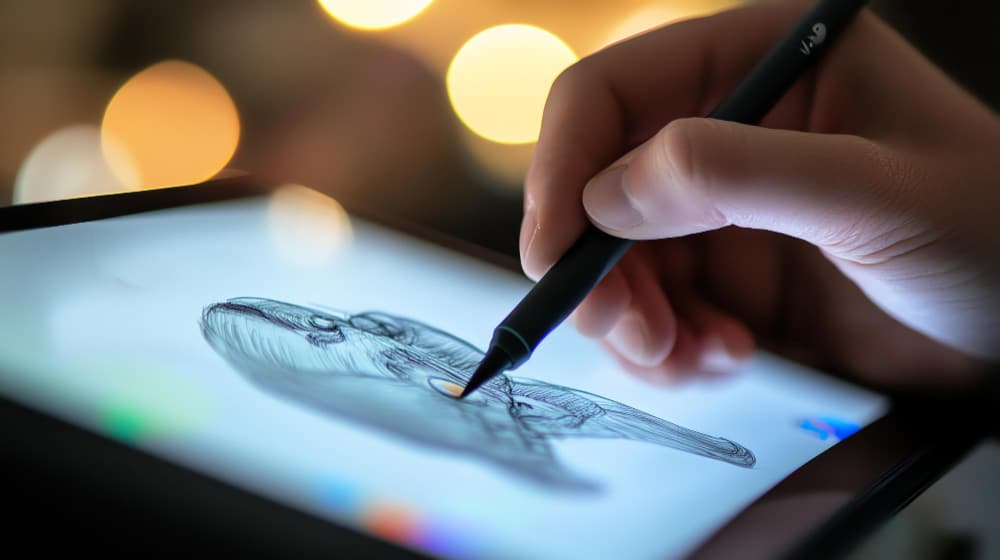
Creating art in the digital world has become an accessible and practical activity thanks to advances in technology. After all, several drawing apps have been developed to serve both professionals and amateurs. In this way, they offer a variety of tools that facilitate creation.
Furthermore, the ability to use different brushes, layers and effects directly on your phone provides creative freedom. It even allows artists to explore their skills anywhere. So, check out the best drawing apps below and unleash your creativity.
1. Infinite painter
O Infinite painter is an app for artists looking for a complete digital drawing experience. After all, it offers several customizable brushes, allowing you to create precise and realistic lines. In addition, the application has an intuitive interface that makes it easy to navigate and use its features.
Another strong point is the ability to import and export files in high resolution. This ensures flexibility in the workflow. In fact, the tool also supports tablets with pens, making the most of pressure sensitivity.
2. sketch book
O sketch book is one of the most popular drawing apps, known for its simplicity and efficiency. With a clean and organized interface, it offers tools that facilitate the creative process. It also has a variety of brushes, which can be adjusted for different types of strokes.
Furthermore, the sketch book supports layers, which is essential for editing and refining drawings. Another advantage is its compatibility with pressure-sensitive devices. This improves the precision of drawing on graphics tablets, for example.
In addition, it also allows exporting in different formats, making it easier to share and continue working on other platforms. In this way, sketch book presents itself as a versatile option.
3. ibis Paint
O ibis Paint is a digital drawing application that stands out for its wide variety of advanced tools and features. In this sense, it offers more than 300 brushes, allowing detailed customizations for different art styles.
Additionally, the application includes a layer system that makes organization easier and editing of drawings. This certainly makes it ideal for both amateurs and professionals. Another distinguishing feature is the support for recording the drawing process. This allows the user to record and share their creation.
In addition, the ibis Paint It also offers an online gallery where you can share your work with other artists and get inspired by different styles. With its user-friendly interface and rich features, the app provides a complete creative experience.
4. Tayasui sketches
O Tayasui sketches combines simplicity and powerful features. With a minimalist interface, it provides a fluid and intuitive user experience. Therefore, it is ideal for those who want to draw without distractions.
The app also offers a variety of realistic brushes, such as watercolor, pencil and pen, which accurately reproduce the characteristics of traditional materials. In addition, it allows the use of layers, making it easier to create more complex and detailed drawings.
Another advantage of Tayasui sketches is the possibility of exporting creations in high resolution, maintaining the final quality of the work. Furthermore, the application also has a texture simulation mode, which contributes to giving more depth and authenticity.
5. AR Drawing
O AR Drawing is an innovative application that uses augmented reality to enhance the drawing process. In this way, it allows you to project images or sketches in the real environment through the device's camera. Thus, it facilitates the reproduction of drawings directly on paper.
In addition, the app offers guides and templates that help improve the precision and tracing of drawings. This makes it ideal for those who want to learn or improve artistic techniques. It also has adjustments to the size and angle of the projections.
In addition, its interface is simple and intuitive, which makes it easy to use for any skill level. Through these features, the application presents itself as an accessible and efficient tool. It is ideal for artists looking to explore new ways of creating using augmented reality technology.
6. SketchPro
O SketchPro offers a multitude of tools for artists of all levels. In addition, it provides a user-friendly interface, making it easy to use for both beginners and professionals. It also has a collection of brushes, allowing for various customizations.
In fact, the SketchPro supports layers, which ensures greater control over the creation process. Thus, it allows for more detailed editing. Another interesting feature is the ability to work with high resolution. This way, it ensures that the works maintain quality even in larger formats.
With fluidity in use and several export options, the SketchPro It becomes a versatile choice for those who want to create digital art efficiently and accurately. Furthermore, it also includes functions that optimize the workflow for a more dynamic and productive creative experience.
There you have it! Each of these drawing apps caters to a specific user profile, with options ideal for both beginners and professionals. Take a look at some of them too: aplicativos to do figure and have more humor and creativity in your conversations. See you soon!